Dell 14S (DS14260)
MSRP $1,469.00
“Slick looks, lovely screen, and a perf hiccup.”
Pros
- Stylish case and sleek looks
- Reasonably lightweight
- Unique and attractive color
- Clean and sleek overall design
- Beautiful OLED touch display
- A decent occasional gamer
Cons
- Keyboard and touchpad are average
- Unimpressive overall performance at mid-tier
- Speakers were a little tinny
- Fans get loud under load
Quick Take
Dell recently simplified their naming convention for business and consumer laptops but seemingly increased the breadth of their laptop offerings. The Latitude and Inspiron brands were replaced simply with screen sizes plus Apple-like monikers such as Pro, Plus, Premium, and Max. But the number of models wasn’t streamlined, and now there are dozens of distinctly different laptop options for all users, even if the new naming scheme doesn’t necessarily indicate the best use cases for a particular unit.
Case in point, the new Dell 14S. Dell describes this Copilot+ PC model, and its bigger sibling the 16S, as “Slim. Stylish. Superpowered.” Elsewhere, Dell promises “Performance that Travels With You” and says the laptop is “Built for multitaskers to deliver powerful performance.”
The Dell 14S appears to be targeted at a small business user, regularly on the road, who wants a versatile lightweight laptop with long battery life but also wishes to express individuality to those who see it unpacked. This user isn’t constrained by a corporate IT department, will stream movies, and values snappy performance at a reasonable price.
Dell 14S Specs: What’s inside?
| Processor | Intel Core Ultra 7 355 (8 cores, up to 4.7 GHz, 49 TOPS NPU) |
| Operating System | Windows 11 Home, Copilot+ PC |
| Graphics | Intel Graphics (Arc architecture with 12 Xe cores) |
| Display | 14-inch FHD+ (1920 x 1200), Touch, 400 nits, 45% NTSC, ComfortView, Gorilla Glass |
| Memory | 16 GB LPDDR5x (7467 MT/s), dual-channel, onboard (soldered) |
| Storage | 512 GB M.2 PCIe NVMe Solid State Drive |
| Expansion Slots | 1x M.2 2230 slot for PCIe SSD
1x M.2 2230 slot for Wi-Fi/Bluetooth combo card |
| Ports | 2x Thunderbolt™ 4 (40 Gbps, Power Delivery & DisplayPort 2.1)
2x USB 3.2 Gen 1 Type-A (5 Gbps) 1x HDMI 2.1 1x Global headset jack (3.5 mm) |
| Wireless Connectivity | Intel® Wi-Fi 7 BE213 + Bluetooth® |
| Camera & Audio | 2 MP RGB-IR camera with AI auto-framing, dual-array microphones
Stereo speakers with Cirrus Logic SmartAmps (2 W x 2 = 4 W total) |
| Battery & Power | 3-cell 70 Wh battery
65W Type-C adapter |
| Chassis & Build | Aluminum body, 3-knuckle hinge, Celestial Blue finish |
| Keyboard & Trackpad | Carbon Black US backlit keyboard, Precision touchpad |
| Dimensions | Height: 0.60–0.61 in. (15.30–15.40 mm)
Width: 12.35 in. (313.70 mm) Depth: 8.82 in. (224.00 mm) |
| Weight | Touch model: 3.40 lb (1.54 kg)
(Non-Touch: 3.28 lb / 1.49 kg) |
Dell 14S design and build quality
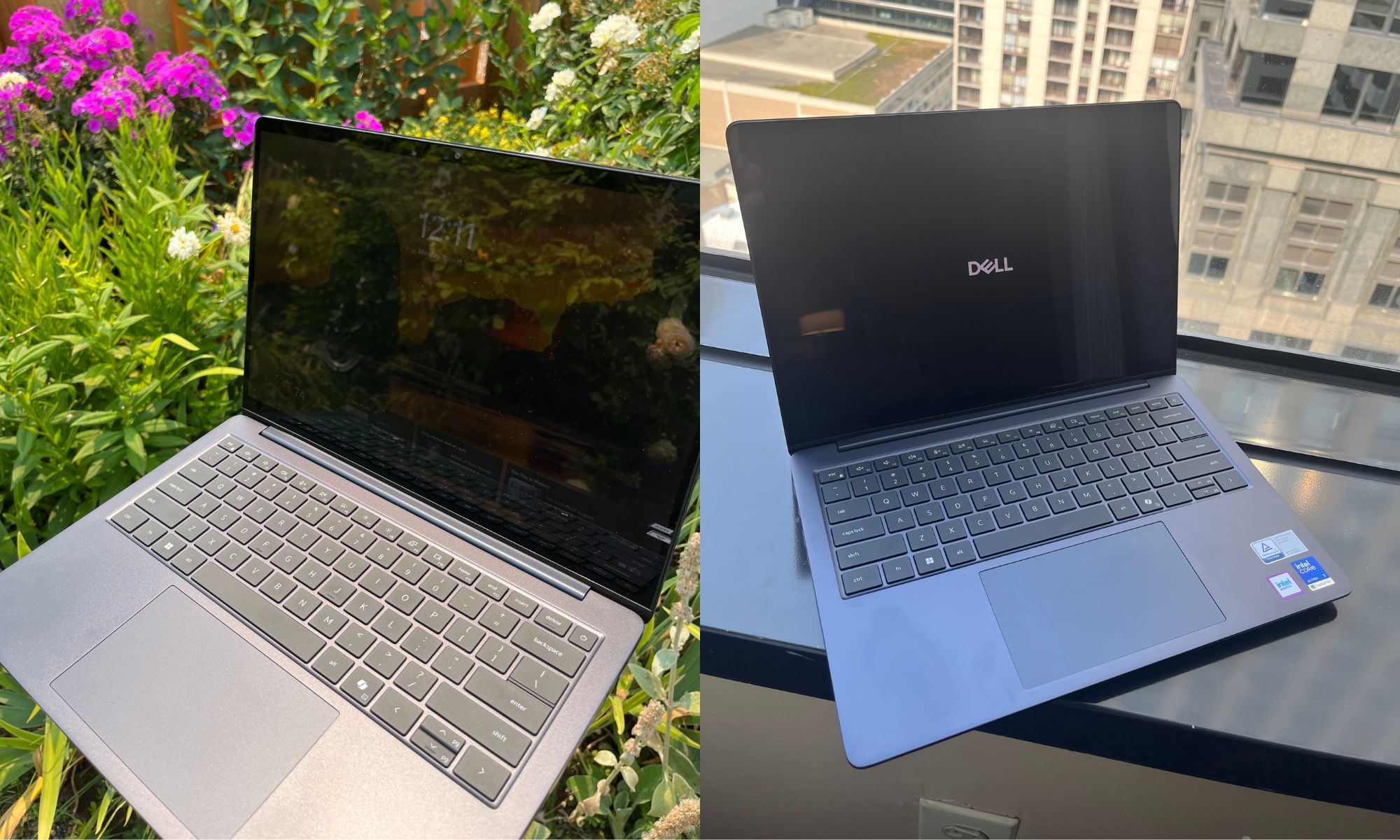
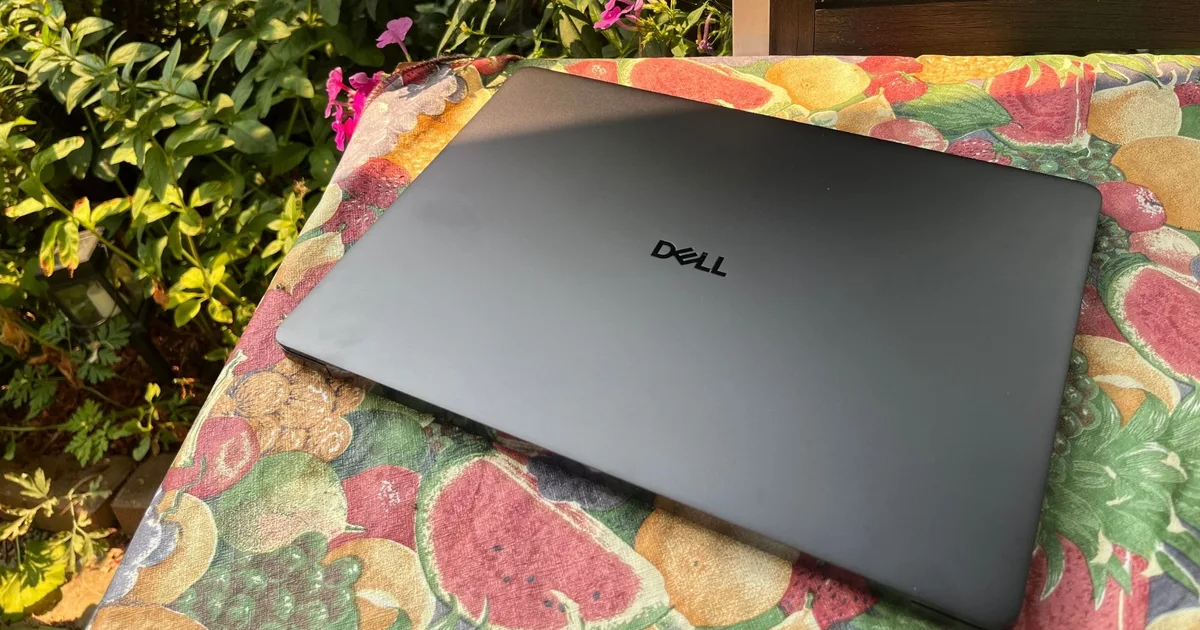
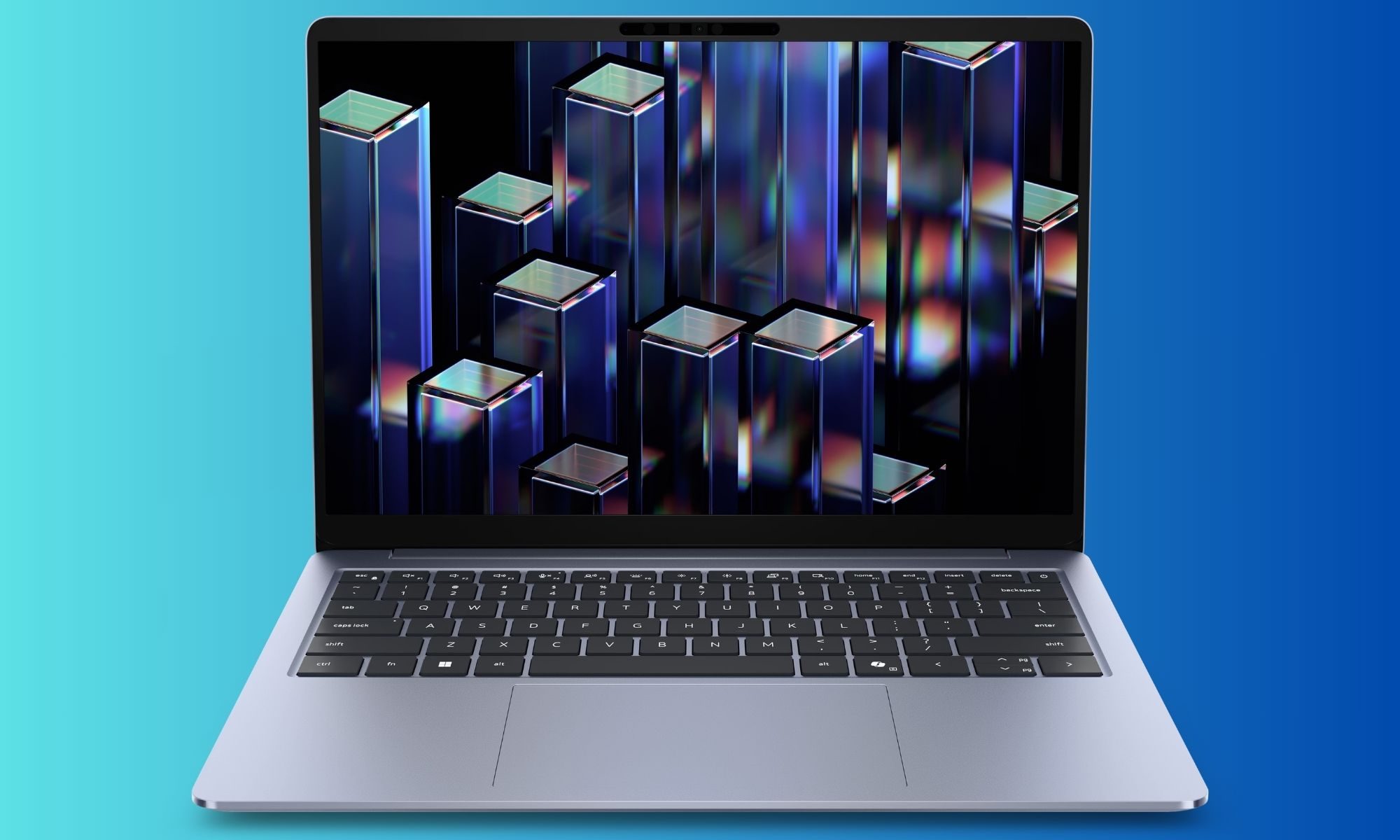
The Dell 14S is a smartly designed, modern, and lightweight aluminum laptop that feels like a premium product that’s ready to travel. Dell offers two blue hues, but the choice of color is tied to the type of display panel. My mid-tier review unit featured a dark “Celestial Blue” color that was nearly black, but shimmered some in certain light. In Dell’s photos, the “Frost Blue” chassis appears nearly silver and is exclusive to models with a non-touch display.
The laptop is slim and light, but not shockingly so in either respect. My current daily driver on the road is a MacBook Air 13 M5, which is a high bar for slim and light. But, compared to the Dell Latitudes and other Windows laptops I’ve carried in the past, the Dell 14S is a vast improvement from everyday carries of just a few years ago.
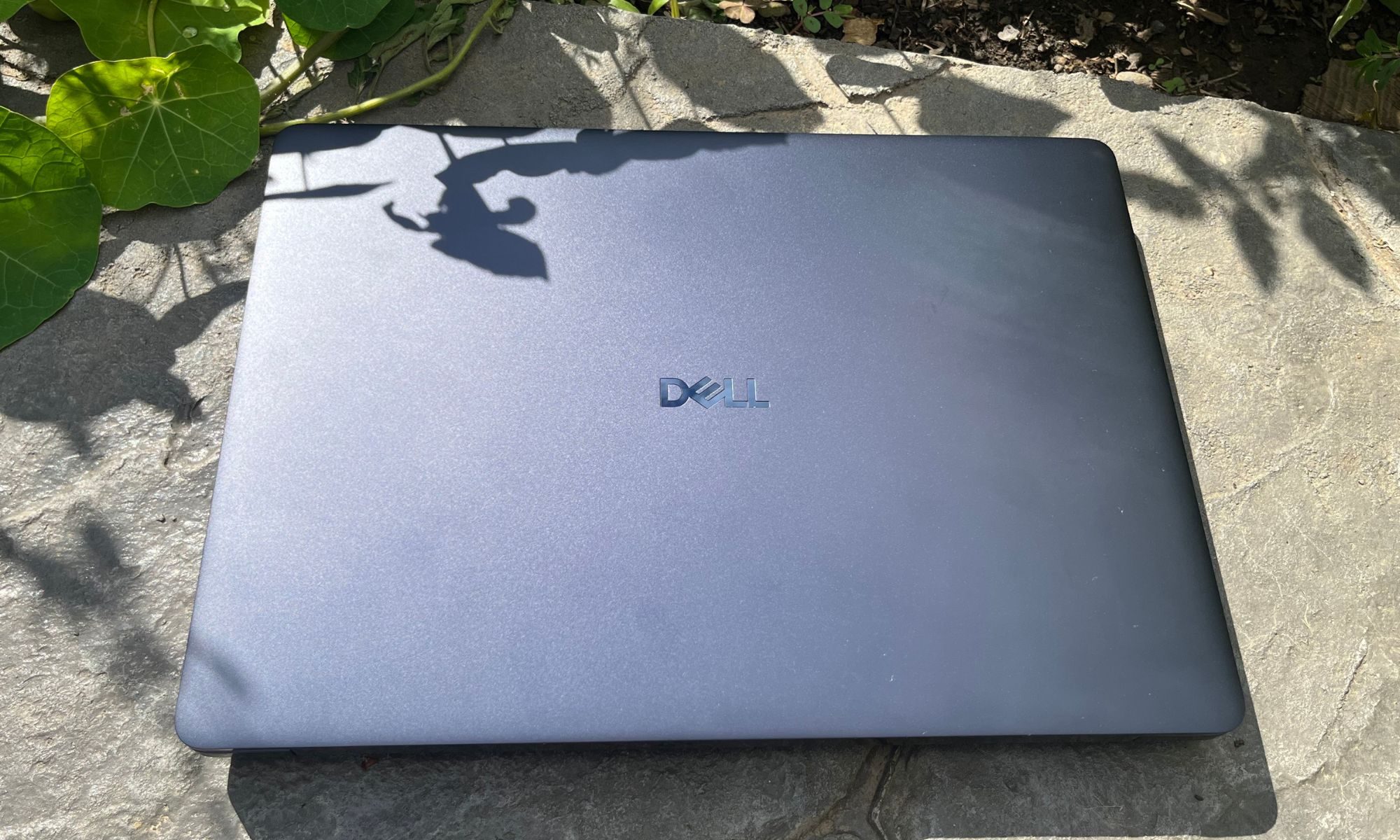
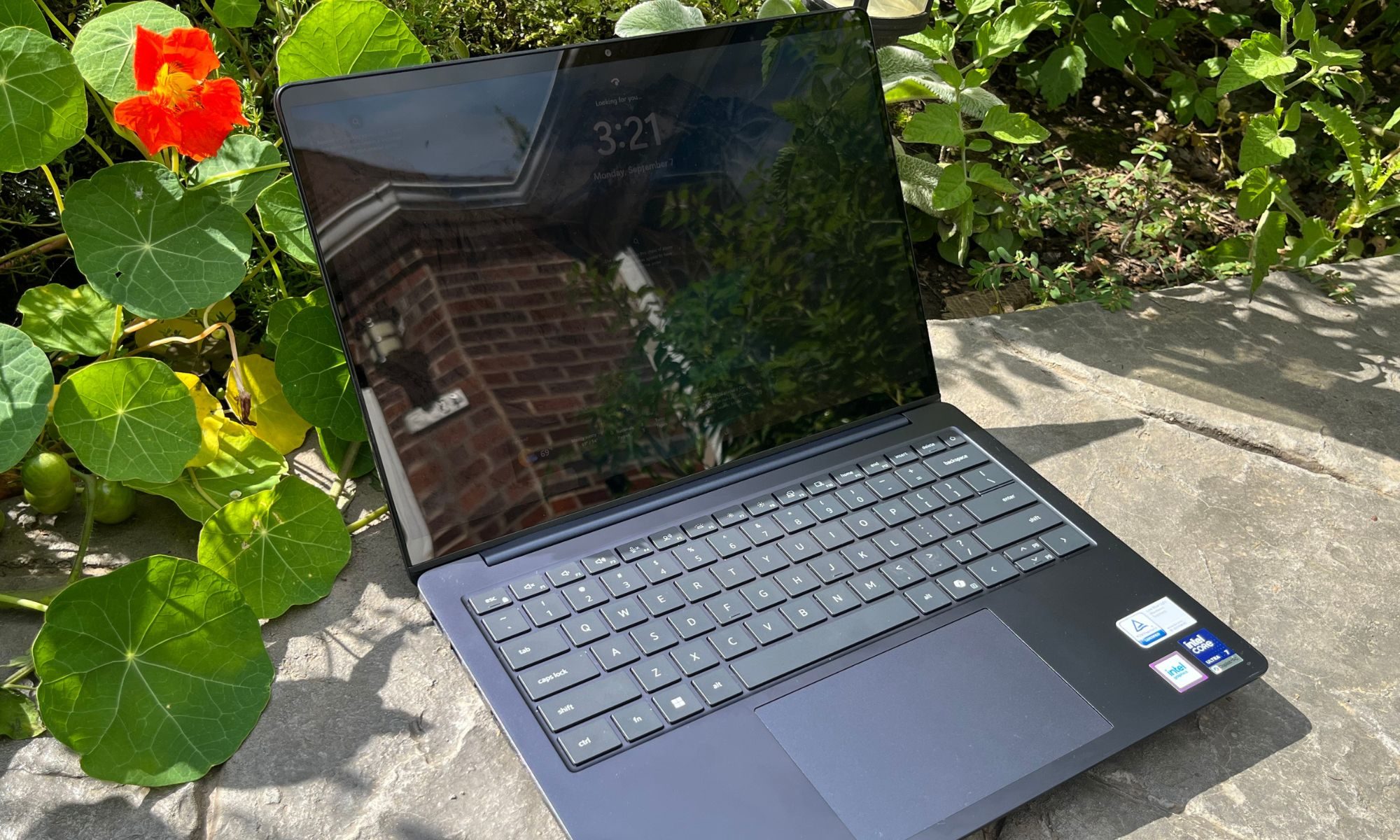
The chassis feels solid and made of high-quality materials, and the lid opens with one hand. The screen of the 14” OLED touch display is incredibly glossy, which I don’t find personally too annoying but is difficult to photograph. Apart from three stickers affixed to the palm rest, the laptop is quite understated, minimalist, and classy.
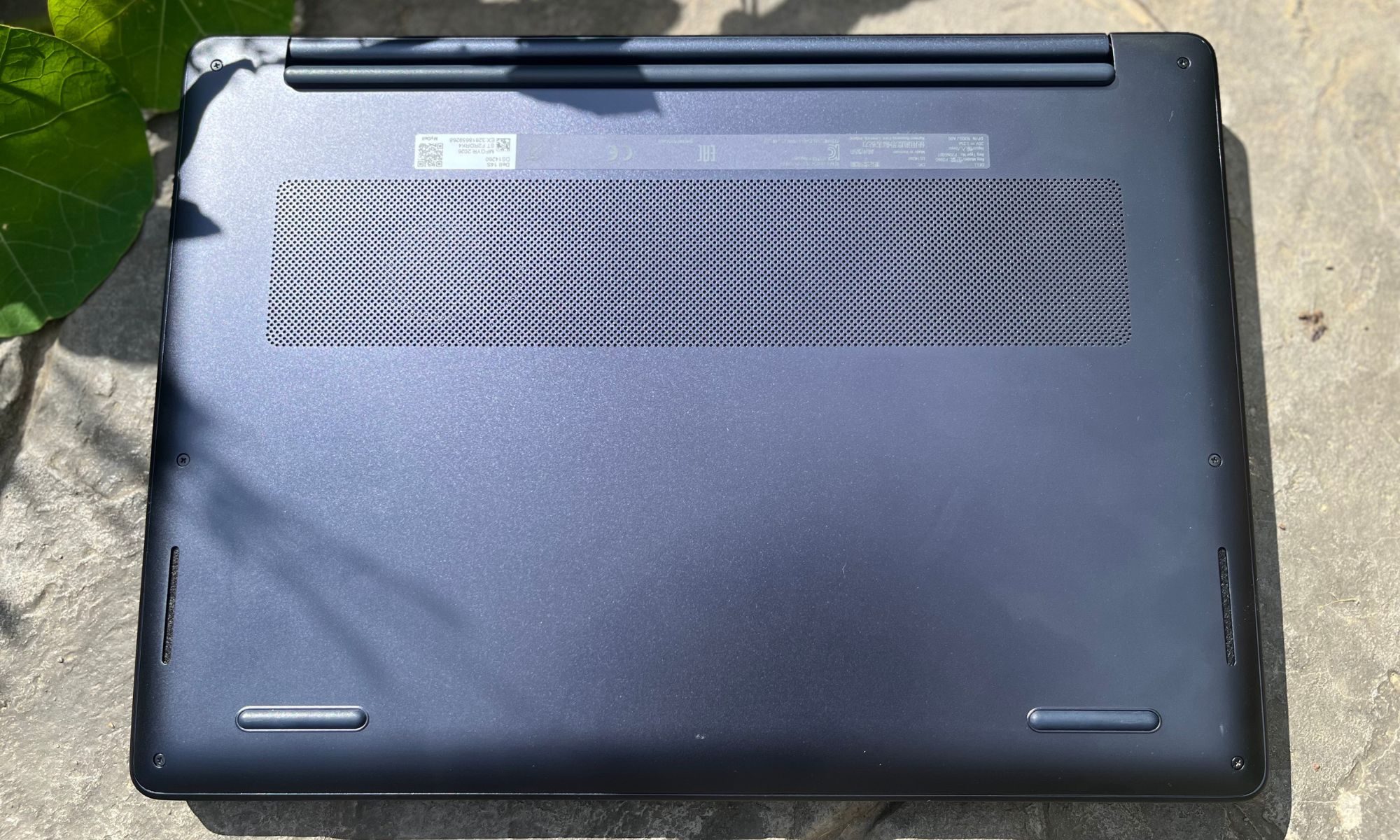
The bottom case is sleek and clean with the exception of the service tag and QR sticker. In fact, the finely drilled cooling vent panel was oddly pleasing to touch when carrying the laptop.
Design score: 9/10
Dell 14S Display
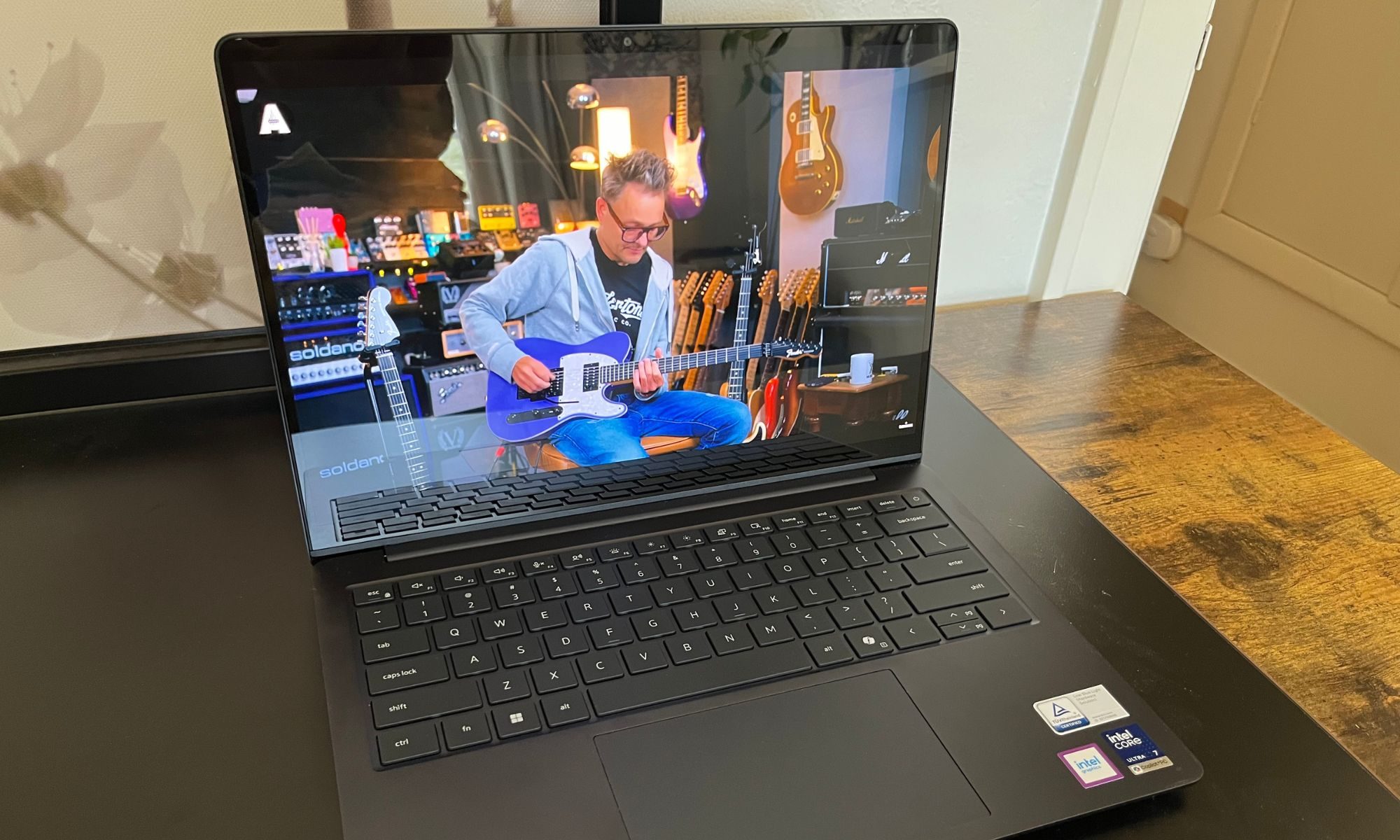
If the exterior of the Dell 14S is a warm invitation to have a closer look, turning on the laptop and illuminating the luscious OLED 1920 x 1200 FHD+ touch display says that you’ve arrived. I found that the deep blacks and vivid colors made me choose the Dell over my MacBook if I had a quick web search to run because the Dell display just felt more gratifying to look into. I did have the brightness dialed up to 80%-100%, which probably was a drag on the battery life, but also means that the lower brightness levels might only be useful in dark rooms or overnight airplane flights.
Videos were pleasing to watch, and even just the desktop background images were super satisfying. Plus, as an Apple ecosystem veteran, I enjoyed finding new ways and reasons to use the Dell’s touch display.
Windows recommends 150% Scale in the Display Options settings panel, but I kept everything at the native 1920 x 1200-pixel resolution with 100% scale and found the detail to be sufficiently sharp. On the occasion that I used 125% scale, it was still usable even with the lost screen real estate and did make touch navigation less fiddly.
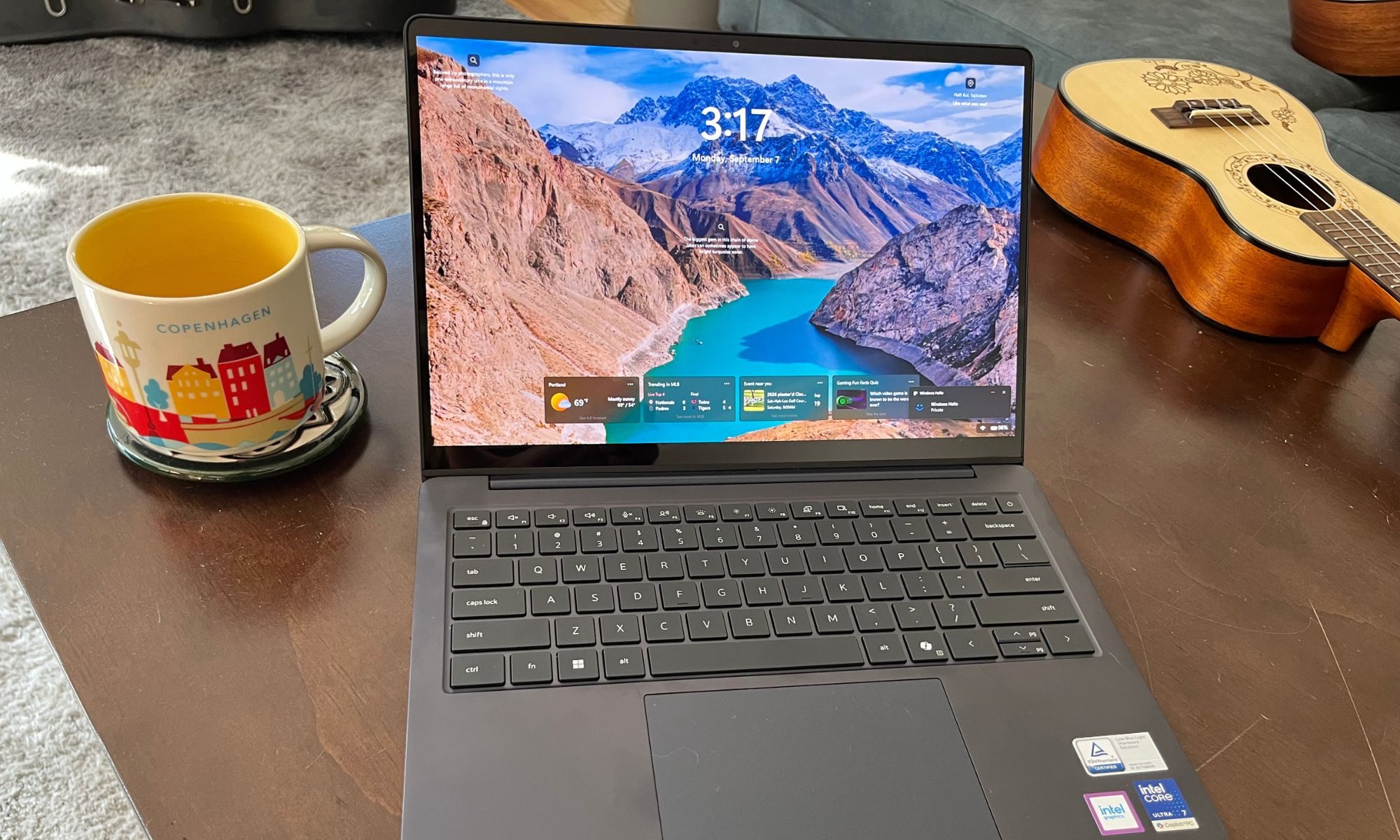
When connected to an external 2K display via USB-C dock, I noticed no performance or sharpness sacrifices and found it to be a great home-base productivity setup.
Dell offers an Intel Ultra X7 358H configuration option that features Arc B390 graphics, which would be a decadent upgrade for gaming on the road.
My MacBook display runs at 60Hz, so the 60Hz Dell 14S display was neither an upgrade nor a downgrade. It may be that faster refresh speeds will become the new standard, but in 2026 I’m happy to benefit from longer battery life over additional Hz.
Display Score: 9/10
Dell 14S keyboard and touchpad
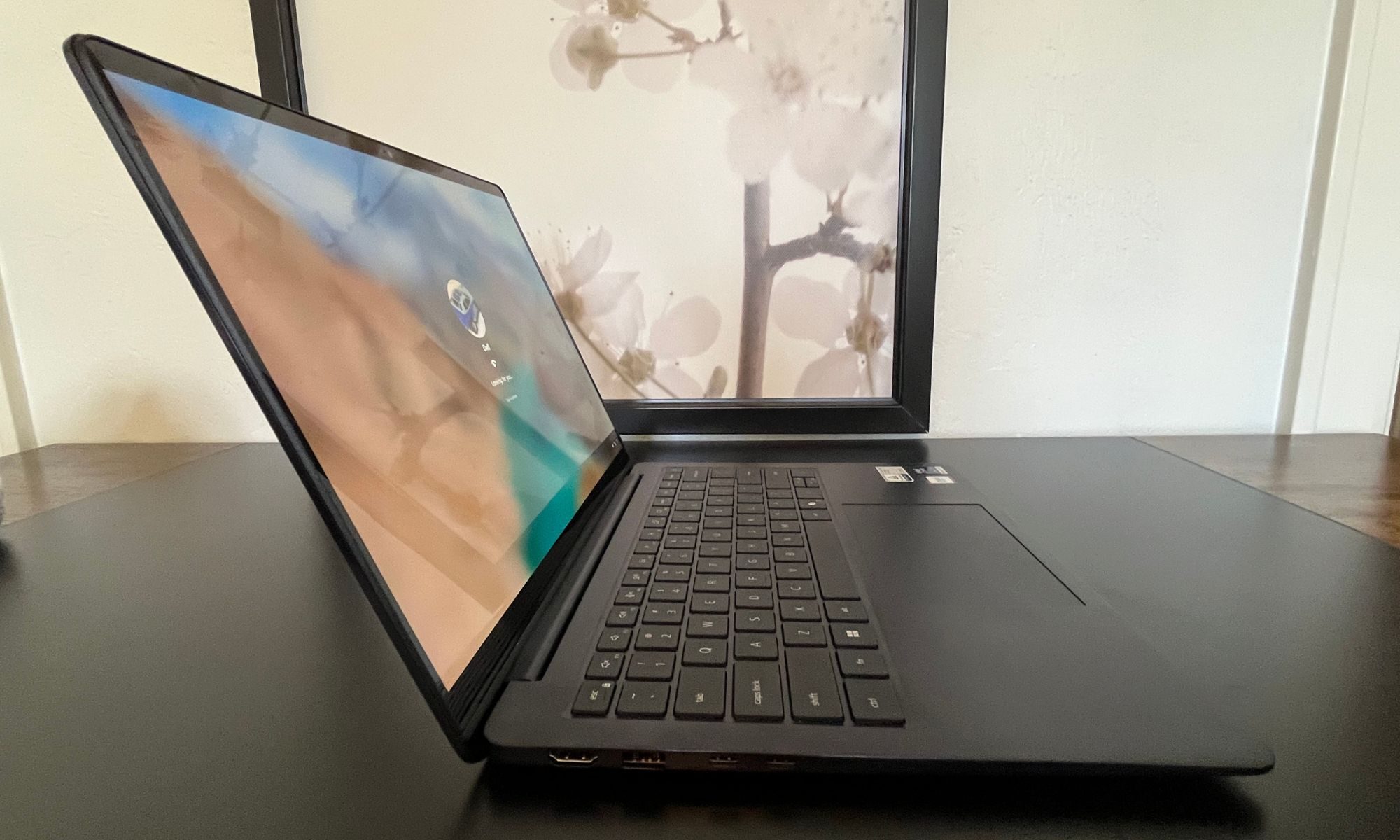
While the Dell 14S keyboard and touchpad look great, actually using them wasn’t my favorite. The keyboard is attractive and well-spaced but feels both a little stiff and also mushy to my fingers. The key press effort was slightly greater than I am used to on the MacBook keyboard, and the key travel seemed a little farther.
Ultimately, this made typing on the 14S somewhat tedious, and I didn’t look forward to typing for any lengthy period.
The touchpad, though large and sturdy, also feels a little sunken below the surface of the palm rest, which made clicking and resting awkward for my thumb. Clicking was otherwise responsive, consistent, and not annoying, which is saying something with touchpads.
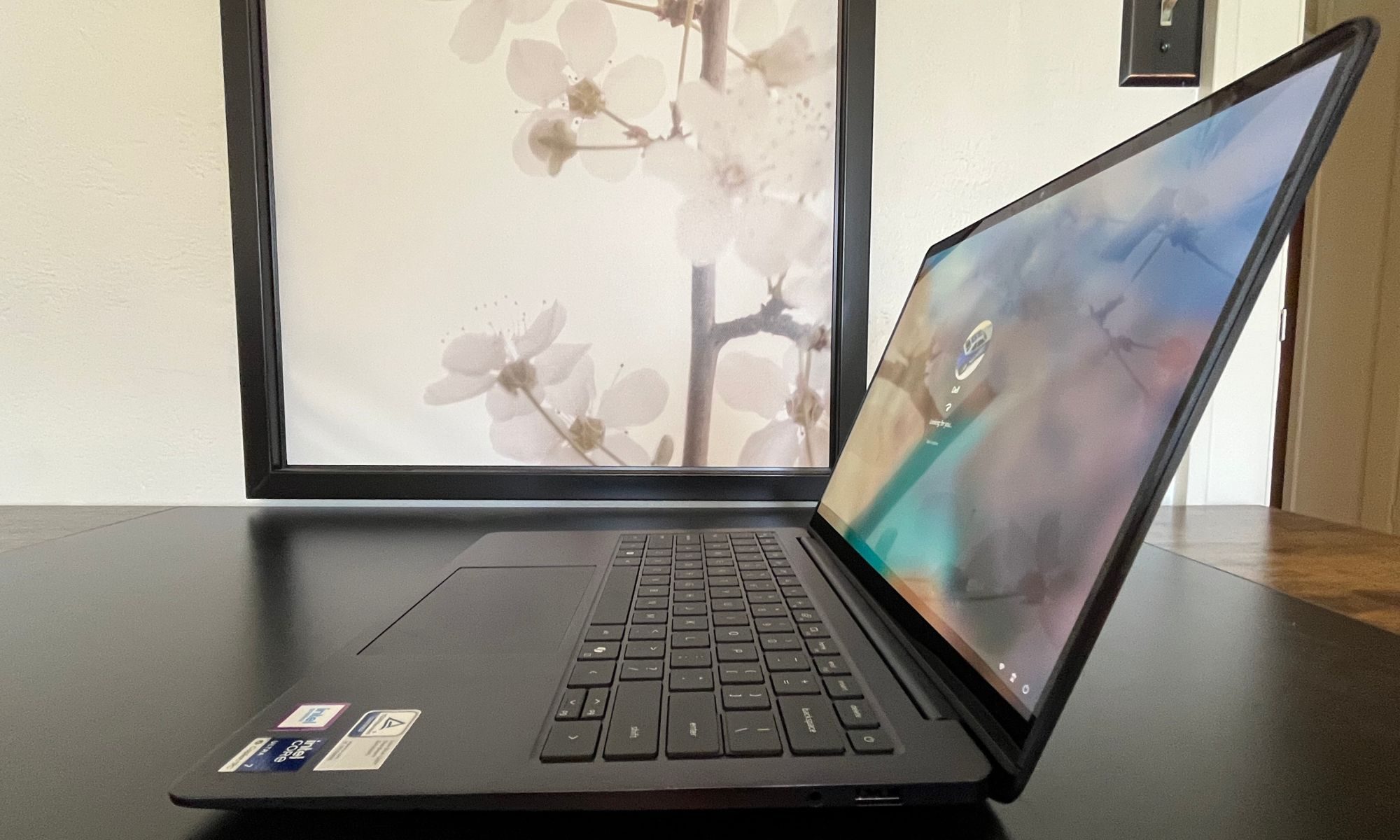
Overall, the keyboard quality feels premium, and with a little acclimation, I can see it being a functional experience even if it feels like the keyboard layout means that hands rest a little left of center.
Keyboard and Touchpad Score: 7.5/10
Dell 14S performance
The Dell 14S offers multiple Series 3 Intel Core Ultra CPU configuration options from Ultra 5 322 (6 cores) to Ultra 9 386H (16 cores). My test unit sat in the middle with the Ultra 7 355 (8 cores), which I found neither sadly lacking nor face-meltingly fast. Performance was simply adequate and up to the tasks I threw at the laptop, but there were definitely times under severe load that I found myself wanting more horsepower.
For multitasking, I probably also might have benefited from the higher 32GB LPDDR5x spec over the mundane 16GB ordered for my review unit. And, if I was going to install more than just a few current games, I probably would have appreciated the 1TB or 2TB storage options versus the 512GB M.2 NVMe SSD in my mid-priced configuration.
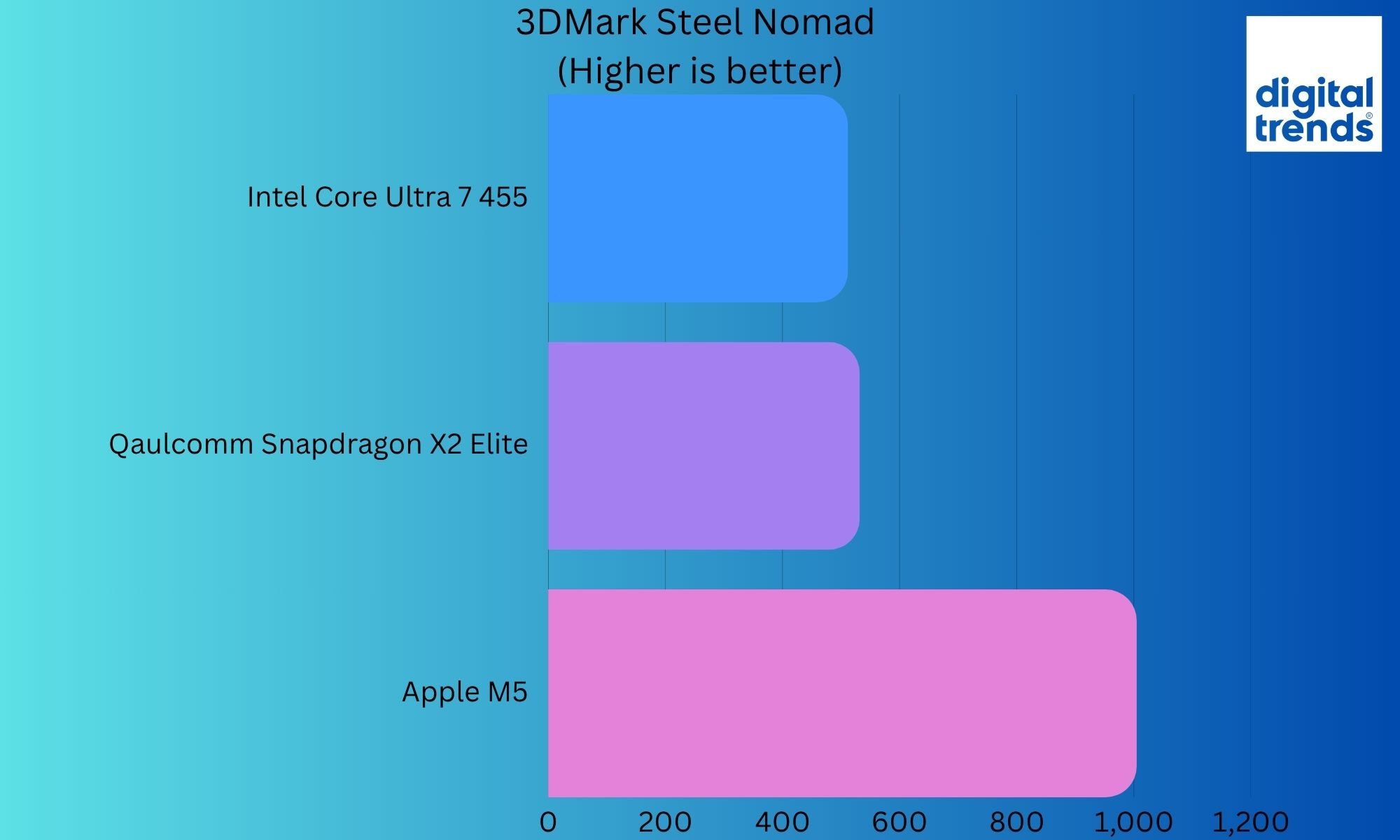
Digging into some of the benchmarks, the numbers were reasonably middle-of-the-road. 3DMark Steel Nomad produced a score of 483, and Steel Nomad Light resulted in a score of 2160. The MacBook Air M5 can push out a Steel Nomad score of 932, but I rarely push it very hard, so in the real world, I didn’t notice that big of a performance difference.
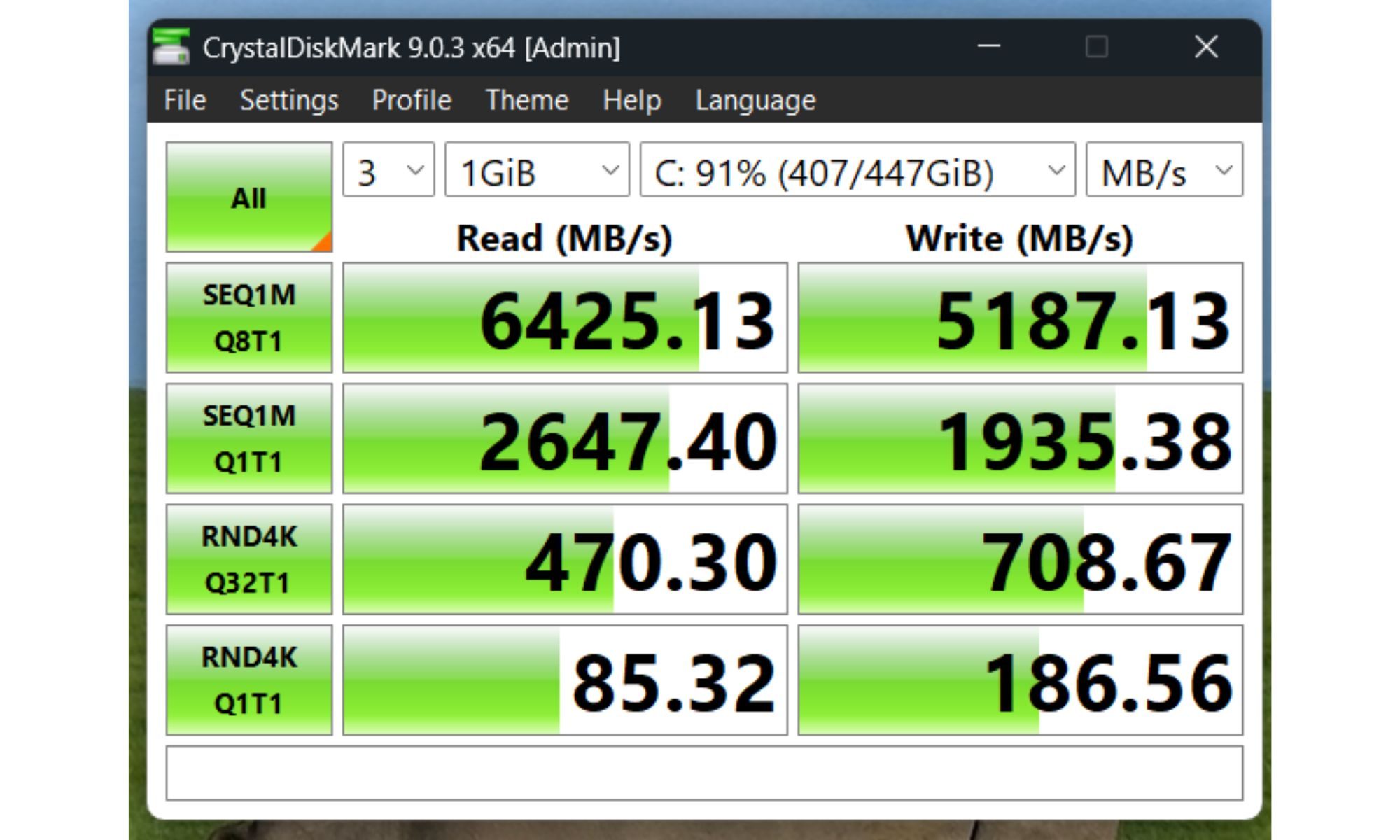
The Dell 14S produced a Solar Bay score of 11,785, which again is not an amazing score, but since the 14S is probably not the best platform for ray tracing anyway, the results aren’t too disappointing compared with its peers.
3DMark Time Spy measures both GPU and CPU performance and assigns an overall score. The Dell 14S score of 3279 (2971 GPU and 7959 CPU) is on par with multiple recent ASUS benchmark results. Again, adequate for the targeted user, but maybe a little underneath the expectations of Dell’s “Superpowered” moniker.
| Benchmark | Run 1 | Run 2 | Run 3 / Details |
| 3DMark Steel Nomad (DX12) | 457 | 483 | 512 |
| 3DMark Steel Nomad Light (DX12) | 2096 | 2114 | 2160 |
| 3DMark Solar Bay | 11375 | 11785 | 11812 |
| 3DMark Time Spy | 3267 | 3275 | 3279 (Graphics: 2971, CPU: 7828) |
| Geekbench 7 | Single Core: 2420 | Multicore: 11460 | N/A |
Geekbench 7 scores were 2420 for single-core performance and 11,460 for multi-core performance. Remember that Geekbench 7 scores aren’t comparable to Geekbench 6 results due to updated data sets, workloads, and scoring methodology.
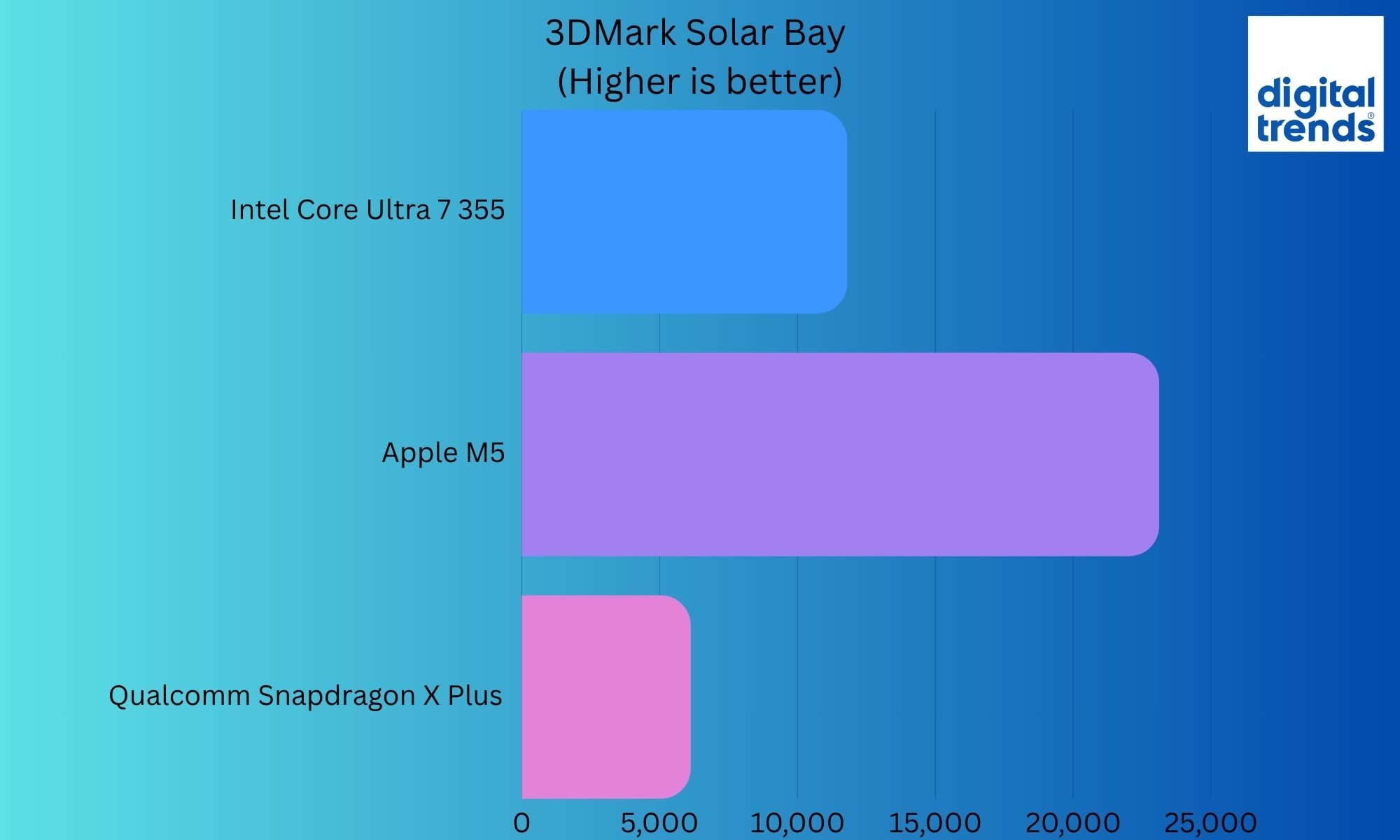
Finally, for as much as my review unit was a mid-spec sample, the CrystalDiskMark results showed that the Dell 14S storage speeds were competitive with other laptop models in the category. Sequential reads scored 6,425 MB/s and sequential writes scored 5,187 MB/s.
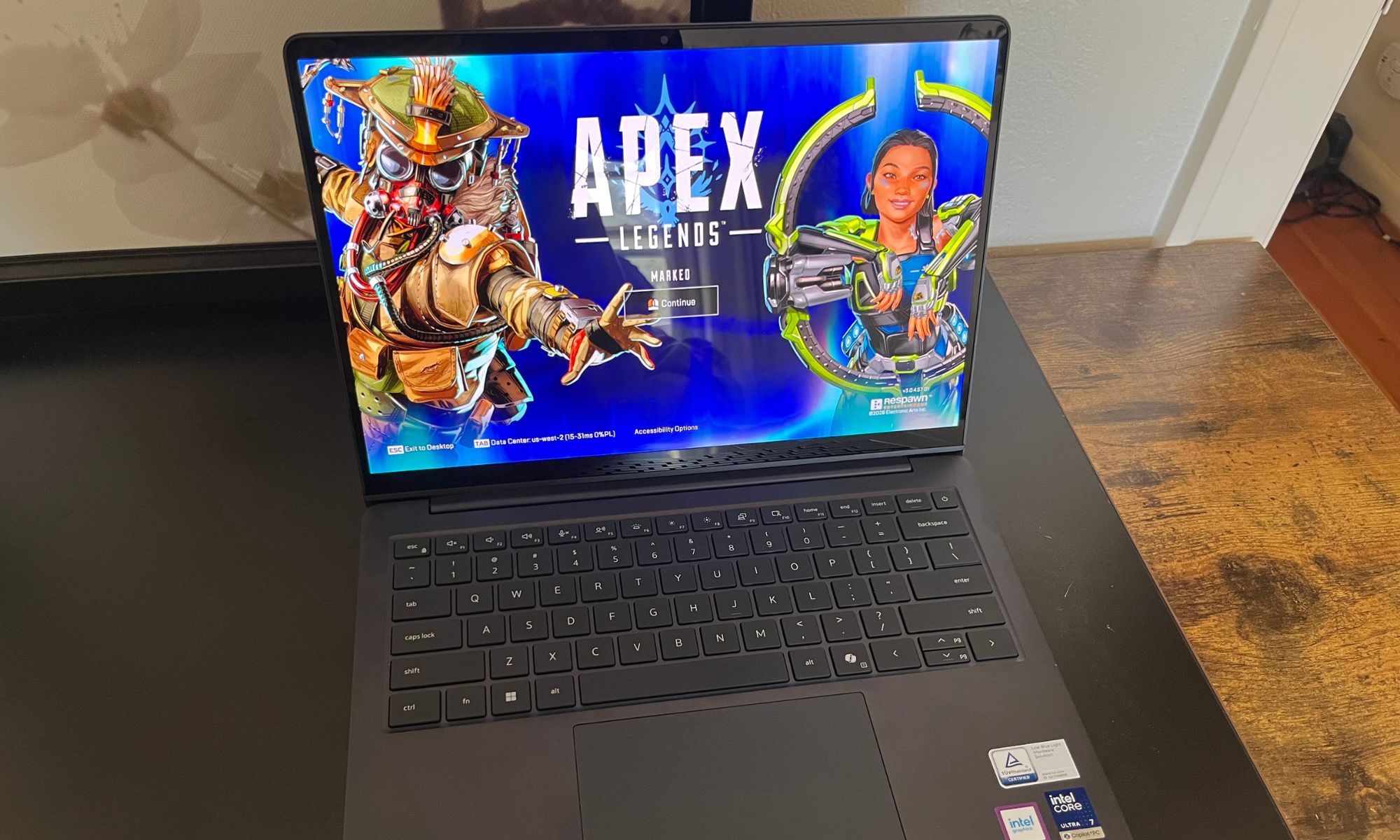
I was pleasantly surprised at the gaming performance of this laptop, especially since it’s not touted as being a gamer in any respect. For someone who travels as much as I do, I appreciate knowing that I can burn some downtime playing my usual Fortnite, Apex Legends, or even Arc Raiders. With graphic details set to low (or Performance) settings, I achieved at least 60 fps in my normal games stack. However, the normally quiet fans get loud while gaming, and temperatures rise significantly. If you’re planning to game on the Dell 14S, I recommend earbuds or a headset to help mask the fan noise.
The hype over Copilot+ PCs and local AI workload processing continues, but even with 49 TOPS of NPU performance, I didn’t see much NPU activity in Task Manager under normal workloads. Popular apps for really leveraging the NPU aren’t quite ready for the general user base, but for someone dabbling or developing in AI, I’m sure there’s plenty of AI compute headroom in the Dell 14S.
Performance Score: 7/10
Dell 14S battery life
Because the Dell 14S wasn’t my main computing rig during its weeks under evaluation, most of my usage was for a few hours at a time interspersed with it sleeping on my desk or in my backpack. So, while I don’t doubt Dell’s claims of nearly 24 hours of battery life (for the non-OLED model), the qualitative takeaway for me was relief that it never seemed like I was about to run out of battery. The 14S can be stored unused and in hibernation for many days and still have plenty of battery when it’s woken up for its next session.
Similarly, I found that over long stretches of use, I never really experienced the laptop equivalent of “range anxiety”. That said, when gaming, applying updates, streaming Spotify and/or watching videos, I was able to drain the battery down at rates much higher than your typical spreadsheet editing, document writing, and web browsing loads.
The Dell 65 W power adapter is reasonably small, and probably not required for everyday carry. But I didn’t love the design and fussy cables. This is a seemingly minor opportunity for refinement where Dell could enhance the overall ownership experience.
Battery Score: 8/10
Dell 14S speakers, webcam and ports
Dell touts dual 4W speakers with Smart Amp technology, and I found that the Dell 14S was sufficiently loud for a hotel room or small office, but to my ears the quality didn’t match the promise of the deeper bass and clear detail that the brochure described. Dell does deliver distortion-free volume with a lot of midtone, but I didn’t think that the highs and lows were exceptionally crisp.
The FHD webcam used in a Microsoft Teams meeting felt capable but common. Possibly it’s a limitation of Teams, but ultimately, I felt like the webcam was unremarkable and other meeting participants didn’t notice any superior quality.
The Dell 14S did win in the ports department. It’s a huge relief to leave all the adapters back at the office when you’re on the move with two USB 3.2 Gen 1 Type-A ports (one on each side) and HDMI 2.1 on board in addition to the two Thunderbolt 4 (40 Gbps) ports for high-speed data, video, and charging.
Speakers, Webcam and Ports score: 7/10
Should you buy?
For a road warrior looking for a slim and stylish laptop, I think the Dell 14S fits the bill. It’s neither under- nor over-powered and is an easy-to-live-with companion on the run. The review unit’s 16GB RAM configuration is likely to struggle in a few years as 32GB of RAM becomes the new de facto standard, but it seems plenty capable in 2026 to provide mobile computing to the average business traveler who also plugs in at home or the office.
I think that this laptop is best suited for a freelancer or small businessperson without a rigid IT department who appreciates the OLED touch screen for content consumption on the road and also wants to communicate a sense of style and design. There are superior alternatives, but for someone invested in and staying with Windows, I think the Dell 14S is an attractive mid-spec laptop for the road and office.
It’s a very good laptop for a Windows 11 user, especially if obtained on sale, but it’s simply not the best offering on the market today.
Why not try
MacBook Air 13 M5 is my daily driver and the obvious comparison for me. With a similar price ($1,299 at the time of review) and similar specifications but greater refinement, Dell has a tough competitor. But, for someone unwilling to switch operating systems, the lighter weight and more-refined MacBook may not be an alternative.
Dell XPS 13 can be configured nearly identically (CPU, RAM, storage) at a lower cost ($1,499 MSRP, currently on sale for $1,199), with less weight and a higher-resolution touch screen (non-OLED). I’ve got the new $699 Core 5 320 XPS 13 with 8GB up for review next, as Dell addresses the new MacBook Neo category.
Asus ZenBook A14 (UX3407NA) is a great Windows laptop. Its greatest strength remains the chassis. It weighs almost nothing without turning it into something fragile or unpleasant to use. Add excellent battery life, a strong processor, and an OLED display, and you have one of the easiest Windows laptops to carry around every day.
How we tested
Since my IT department didn’t want me loading my corporate identity onto the review unit, the Dell 14S traveled to Seattle, San Francisco, and Chicago with me over two months, handling my side-business and personal workloads. My review unit featured the Intel Core Ultra 7 355 with 16GB of RAM and a 512GB NVMe SSD. The OLED display was driven by integrated Intel Graphics at a resolution of 1920 x 1200 with touch support.
My workloads included spreadsheets, web apps, a few AAA games, streaming video, and audio. All benchmarks were taken while plugged in, fully charged, with balanced overall settings and Performance power mode. The display was usually set at about 80% brightness, and I reported the median result from three benchmark runs.
FAQs (Frequently Asked Questions)
What processor choices are available on the Dell 14S?
You can pick between the Intel Core Ultra 7 355 processor (8 cores, up to 4.7 GHz) and the Intel Core Ultra 5 322 chip.
What kind of display do you get?
The Dell 14s comes equipped with a 14-inch FHD+ (1920 x 1200) touch display with 400 nits brightness, 45% NTSC color coverage, and Corning Gorilla Glass. An OLED panel option is also up for grabs.
Is the memory or storage situation upgradable?
The RAM is soldered and can’t be upgraded, while the M.2 2230 slot allows storage swap.
What ports are available?
It offers a pair of Thunderbolt 4 ports (with Power Delivery and DisplayPort 2.1), two USB 3.2 Gen 1 Type-A ports, one HDMI 2.1 port, and a 3.5 mm universal audio jack.
What’s the battery capacity?
Dell’s laptop comes with a 3-cell, 70 Wh battery and charges via an included 65W USB Type-C adapter.
What about the webcam and audio hardware?
The Dell machine offers a 2-megapixel (1080p resolution) RGB-IR camera that supports Windows Studio Effects and dual-array microphones, paired with dual stereo speakers powered by Cirrus Logic SmartAmps (4W total).